How to Build a Toil Reduction Roadmap
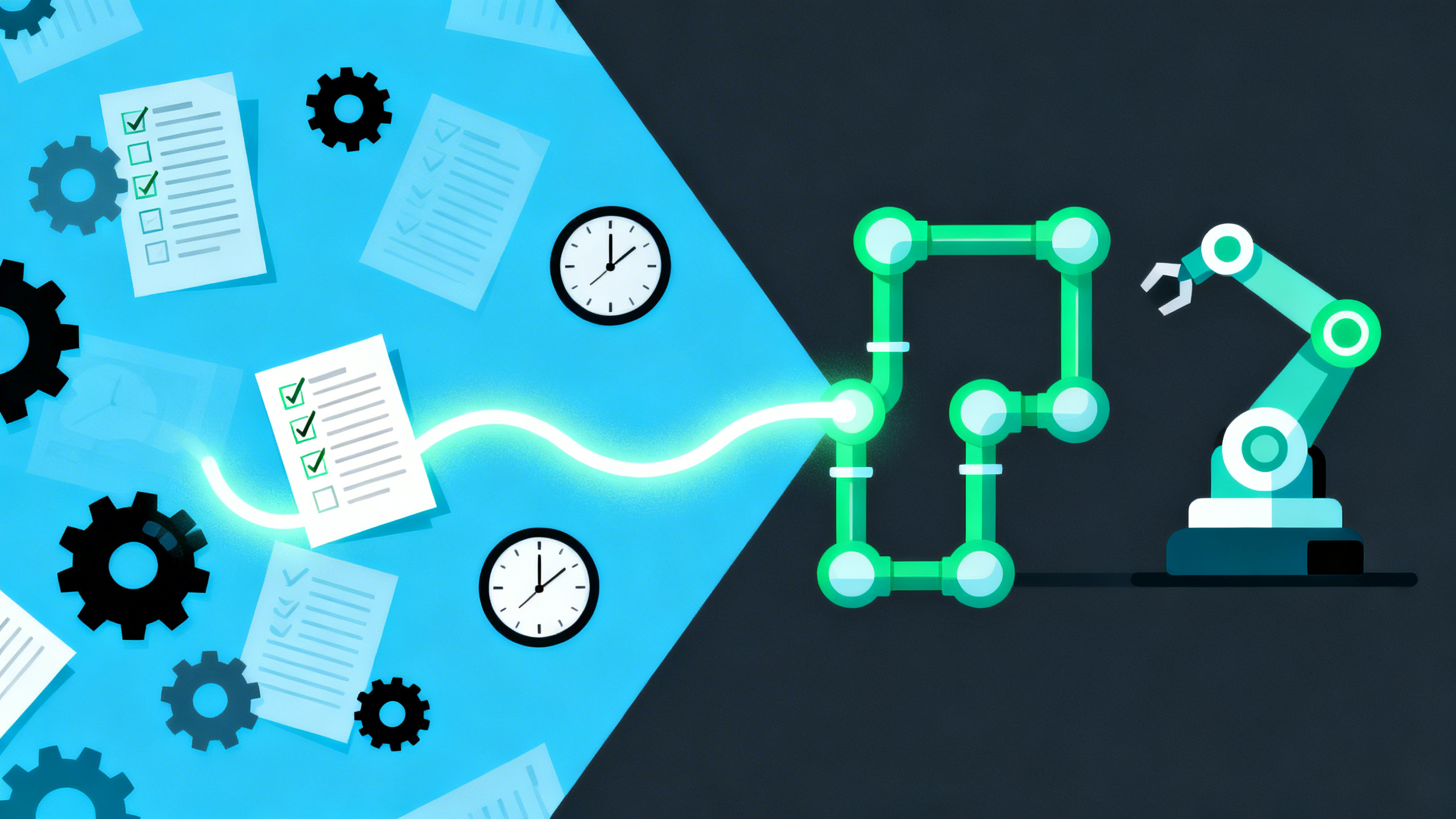
The DORA 2024 report dropped a finding that should have caused a minor crisis in every engineering org: toil rose to 30% of engineering time, up from 25% the year before. That’s the first increase in five years, and it happened while teams were actively adopting AI tools and automation platforms. More tooling, more toil. Something isn’t working.
If you want to eliminate toil at your organization, the problem usually isn’t motivation. Engineers hate repetitive manual work by definition. The problem is that nobody has ever measured it, named it, or prioritized fixing it. It’s just “how Fridays work.”
This article gives you a practical 5-step framework to audit your toil, score and prioritize it, build a 90-day elimination roadmap, get leadership buy-in, and measure progress. No SRE team required. No six-month platform engineering initiative. Just a spreadsheet, a sprint, and some focused effort.
If you want an outside set of eyes on your current ops burden, you can request a free async infrastructure audit at /audit/. We deliver written findings, no calls required.
What Counts as Toil
Before building a roadmap to eliminate toil, you need a working definition. Toil is manual, repetitive operational work that doesn’t permanently improve your system’s state. It scales with traffic or team size, and a computer could do most of it.
The classic signals: if you had to do it last week and you’ll do it again next week for the same underlying reason, it’s probably toil. If a junior engineer could follow a checklist to do it, it’s probably toil. If an incident would happen in your absence because nobody else knows how, that’s toil wearing a “critical knowledge” costume.
For a deeper grounding in what counts as toil, start with our complete guide.
Why Most Teams Never Fix Their Toil
The standard answer is “we don’t have time.” That’s half right. The real answer is that toil is invisible until you measure it, and it’s unprioritizable until you frame it in terms leadership understands.
Here’s a striking data point: 45% of engineering teams say they have mature infrastructure automation in place. Only 14% actually do, according to ControlMonkey research. That’s a 31-point gap between perceived and actual maturity.
Teams aren’t lying. They genuinely believe their automation story because they automated the things they remembered to automate. The toil they forgot to name is still there, running every Friday.
The second problem is framing. Engineers try to get toil reduction on the roadmap by saying “this wastes time.” Leadership hears “we want to work on infrastructure instead of features.” That pitch loses every time. You need a different frame, and we’ll cover exactly how to build it in Step 4.
The third problem is prioritization. Not all toil is equal. Spending three weeks automating something that takes 10 minutes a month is a waste. You need a scoring model to separate the quick wins from the rabbit holes before you touch anything.
Step 1: Run a Toil Audit (The 5-Day Log)
The toil audit is the foundation of the entire roadmap. Don’t skip it, don’t estimate from memory, and don’t ask your team to do it retrospectively. Retrospective estimates are always wrong. People forget the small stuff and anchor on the dramatic incidents.
Instead, run a 5-day logging exercise. Every engineer on the team tracks operational work in real time for one full week.
The log format is simple. For each operational task, capture five fields:
- Task: What did you do? (Be specific: “manually applied Terraform changes to prod” not “infra work”)
- Trigger: What caused it? (Customer request, scheduled check, incident, Slack message)
- Time: How long did this actually take, including context switching?
- Frequency: How often does this happen in a typical week?
- Pain: How much does this hurt on a 1-5 scale? (1 = annoying, 5 = causes outages or blocks others)
We’ve seen teams discover things they didn’t know were toil. One 4-engineer SaaS team ran this exercise and found a Friday afternoon ritual they’d never named: two hours every Friday checking cert expiration dates on a shared doc, validating credentials in three places, and confirming staging was in a clean state before anyone could deploy.
It wasn’t on the sprint board. It wasn’t tracked in Jira. It was just “how Fridays work.” That ritual was eating 8 hours of senior engineering time per month, and nobody had ever questioned whether it could be automated or eliminated.
For more on the audit process, including what infrastructure-specific toil looks like and how to find it when it’s hidden, read our companion guide on how to identify toil in your infrastructure.
Step 2: Score and Prioritize Your Toil
Once you have a week’s worth of logged tasks, you need a way to decide what to work on first. Not all toil deserves to be automated. Some of it should be eliminated entirely. Some of it should be handed to a managed service. Some of it will cost more to automate than it’s worth.
Use this scoring formula to rank each item:
Score = (Frequency per week × Time per occurrence in hours × Pain level 1-5) / Automation effort in days
A higher score means higher ROI on your investment. Let’s walk through three real examples.
Example 1: Manual SSL cert rotation Frequency: 0.25/week (happens monthly, roughly). Time: 1.5 hours (find the cert, coordinate maintenance window, deploy, verify). Pain: 4 (cert expiry causes outages if missed). Effort: 3 days to implement certbot + auto-renewal. Score: (0.25 × 1.5 × 4) / 3 = 0.5
Example 2: “Can you deploy this?” requests Frequency: 12/week (yes, this is real). Time: 0.33 hours (20 minutes per request, including context switching). Pain: 3 (it blocks other engineers and interrupts flow). Effort: 5 days to build a self-service deploy pipeline. Score: (12 × 0.33 × 3) / 5 = 2.4
Example 3: Weekly manual backup verification Frequency: 1/week. Time: 0.5 hours. Pain: 2 (annoying but low urgency). Effort: 1 day to automate and set up alerting. Score: (1 × 0.5 × 2) / 1 = 1.0
Based on these scores, the deploy pipeline is the highest priority, followed by backup automation, then cert rotation. That ranking probably matches your intuition, but the scoring model makes it defensible when someone asks why you’re not fixing the cert problem first.
Once you have scores, map items onto a simple 2x2 priority matrix:
- Quick Wins (high score, low effort): Do these in the first sprint. Backup automation falls here.
- Projects (high score, high effort): Plan for a sprint or two. The deploy pipeline falls here.
- Batch (low score, low effort): Schedule these for a slow week.
- Skip (low score, high effort): Don’t touch these. The ROI isn’t there.
One important caution: watch out for automation debt. Early automation often creates second-order toil. You write a deploy script, and now someone has to maintain the deploy script, update its dependencies, debug it when it breaks, and train new engineers on its quirks. That integration tax is real. If the automation you’re building is going to require ongoing maintenance that eats back most of the time you saved, reconsider whether a managed service or a simpler approach makes more sense.
Step 3: Build the 90-Day Roadmap
A 90-day roadmap is the right scope. Short enough to be credible, long enough to show meaningful impact. Structure it in three phases.
Phase 1: Quick wins (weeks 1-4)
These are the high-score, lower-effort items from your priority matrix. You want visible wins early to build momentum and demonstrate ROI before anyone questions the investment.
Typical Phase 1 targets:
- SSL cert automation: Install certbot or use Let’s Encrypt with your load balancer. Auto-renew everything. Remove the manual cert tracking doc entirely.
- Deploy button in CI: Add a one-click deploy job to your CI/CD pipeline. Engineers trigger it themselves. The “can you deploy this?” requests stop.
- Scheduled backup verification: Write a simple cron job that runs the restore test and alerts on failure. Remove it from the weekly checklist.
- Alert deduplication: If your on-call rotation is getting paged for the same transient alert 15 times a week, fix the alert. Not the system it’s monitoring.
Phase 2: Structural fixes (months 2-3)
Phase 2 tackles the toil that’s embedded in how your infrastructure is provisioned and operated. These take more time but have longer-lasting impact.
- Infrastructure as Code for manual provisioning: If engineers are clicking through cloud console to spin up VMs or databases, convert those workflows to Terraform or Pulumi. The goal is reproducibility, not just speed.
- Runbook-as-code for top incidents: Take your three most frequent incident types and write automated runbooks for them. The runbook calls the API instead of the human. On-call engineers trigger it instead of doing it manually.
- Self-service environment creation: If developers are waiting on ops to spin up dev or staging environments, build a pipeline that lets them do it themselves. Even a Makefile with
make env-create NAME=myfeatureis a massive improvement over a Slack request.
Phase 3: Systemic reduction (quarter 2+)
Phase 3 is about changing how your team operates, not just automating individual tasks.
- Internal developer platform concepts at small scale: You don’t need Backstage or a dedicated platform team. A Makefile, a shared GitHub Actions library, and a documented self-service pattern goes a long way for a 5-10 person team.
- On-call rotation cleanup: Audit your alert rules, escalation policies, and on-call schedule. Reduce the number of actionable alerts. Rotate responsibilities so knowledge doesn’t concentrate on one person.
- IaC coverage audit: Map everything in your cloud accounts against what’s represented in code. The gap is where your toil lives. Make closing that gap an ongoing metric.
The deploy pipeline example from Phase 1 is worth dwelling on. Twelve deploy requests per week at 20 minutes each adds up to 4 hours of senior engineering time, or 208 hours per year. At a fully-loaded rate of $75/hour, that’s $15,600 per year in engineering time spent doing something that should be a self-service button. One sprint to build the pipeline, 5 weeks to pay it back. That math is what gets Phase 2 approved before Phase 1 is done.
Step 4: Make the Business Case
This is where most engineers fail, not because the case is weak, but because they frame it wrong.
“This wastes time” doesn’t land. Every initiative wastes time in someone’s framing. “This creates risk” lands immediately.
Leadership responds to risk framing. The 3am SSL cert expiry that took down the payment gateway for 45 minutes, that’s a compelling story. The engineer who got paged at 3am because nobody automated the cert renewal, and now you have an incident post-mortem with customer-facing downtime, that story gets budget. The equivalent “we spend 18 hours a year on cert management” story gets nodded at and deprioritized.
When you go to make the case for your toil reduction roadmap, build a spreadsheet. Not a slide deck.
Three tabs:
- Current state: Each piece of toil, frequency, time, annual hours, annual cost at fully-loaded rate.
- Proposed automation: Each project, one-time build cost in engineer hours, ongoing maintenance, projected savings.
- Risk inventory: For each piece of unautomated toil, what’s the failure mode? What’s the blast radius if the person who does this manually is unavailable?
The ROI formula is straightforward:
Annual value = (Annual hours saved × Fully-loaded hourly rate) + (Risk events avoided × Estimated cost per event)
For a deeper look at how to calculate the true cost of toil and present it credibly, read our full guide on toil cost quantification.
We’ve seen this work in practice. An engineer brings a one-page spreadsheet to a CTO standup. The spreadsheet shows $47,000 in annual engineering time going to manual operational work, three incidents in the past year traceable to that manual work, and a $28,000 investment to eliminate 80% of it.
The CTO approves it on the spot. Not because they’re generous, but because the math is undeniable and the risk framing makes inaction feel expensive.
If you’d like help building that business case for your own ops situation, we can put together a Loom walkthrough and written report of your infrastructure through our free async audit. We’ll show you where the toil is and what it’s costing, in a format you can hand directly to your CTO.
Step 5: Measure and Iterate
You can’t manage what you don’t measure. Once your roadmap is in motion, track three things.
Toil percentage as a team metric. This is the Google SRE standard: toil should stay below 50% of engineering time. Actual averages run around 33%, with some teams reporting as high as 80% when you count everything. Run the 5-day log quarterly and watch the number move. Your target for a small team is under 25% within six months of starting this work.
Leading indicators. These are the signals that tell you toil is decreasing before the quarterly log confirms it.
- Deploy frequency going up means the friction of deploying is dropping.
- On-call alert volume going down means your systems are more stable and your alerting is more accurate.
- Ticket-to-automation ratio is the ratio of “I filed a request for ops to do X” tickets versus “I used the self-service tool to do X” actions. Watch this ratio flip over time.
Monthly log review. Once a month, spend 30 minutes reviewing what operational tasks actually happened. Are the same items showing up? Is anything new accumulating in a corner you hadn’t noticed?
Quarterly roadmap refresh. Every 90 days, revisit the priority matrix. New toil will emerge. Some things you planned to automate won’t be worth it. Some things you thought were hard will turn out to be two hours of work. The roadmap is a living document.
The Avoid, Automate, Improve, Delegate Decision Tree
Before you assign any piece of toil to a phase of your roadmap, run it through this four-question flow. The order matters.
1. Can we avoid this entirely? Not “can we automate it?” but “can we eliminate the need for it?” Deprecated the feature that requires the manual cache purge. Said no to the integration that generates weekly export tickets. Switched to a managed database that handles backups itself. Avoidance is always the highest-leverage option. It has zero ongoing maintenance cost.
2. Can a script, pipeline, or platform tool handle this without human judgment? If the task is deterministic and doesn’t require a human to make a call, automate it. Score it with the formula, prioritize it, and build it.
3. If not fully automatable, can we make it faster or less error-prone? Write a runbook. Add a Makefile target that handles the boring parts and leaves only the decision point to the human. Build a checklist that gets the task from 45 minutes to 10 minutes and eliminates the class of errors that come from doing it from memory. Partial automation still has compounding value.
4. If none of the above, can someone else do it? A managed service, a vendor tool, a less-senior engineer following a documented process. Delegation isn’t giving up. It’s recognizing that your senior engineers’ time has a specific, high-value use case, and operational grunt work probably isn’t it.
This decision tree keeps you from automating things that should be eliminated, and from eliminating things that should be delegated. Both mistakes happen constantly at small teams.
What This Looks Like for a 5-Person SaaS Team
Here’s a concrete scenario. Four engineers, one lead, no SRE, B2B SaaS product with a handful of cloud environments. Toil inventory: manual deployments via Slack request, SSL cert management via a shared doc, backup verification done by hand, environment creation by ticket, and alert fatigue from undifferentiated on-call noise.
Running the 5-day log, the lead discovers the team is spending 40% of their operational time on things that could be scripted or delegated. That number is shocking until they count it up. It was always there. It just didn’t have a name.
Weeks 1-4: Deploy job in GitHub Actions, certbot with Let’s Encrypt, backup verification cron. Three changes, roughly 6 hours of engineering time recovered per week.
Month 2-3: Terraform for the three most common environment types, a make env-create wrapper script, and runbooks for the top two incident types. The on-call engineer triggers a runbook instead of doing it manually.
Quarter 2: Audit 23 alert rules, eliminate 11, tune 7, reduce on-call page volume by 60%. The lead stops getting paged for things that could wait until morning.
This is achievable without a dedicated SRE, a platform team, or new tooling. It requires a roadmap, a scoring model, and about one sprint per phase.
If this is roughly where your team is, we work with teams at exactly this stage. We can run the toil audit, build the roadmap, and help execute the first two phases alongside your team. All async-first, all written deliverables. Get Your Free Infrastructure Audit.
Conclusion
Toil is rising even as automation tooling proliferates, because teams aren’t naming it, measuring it, or prioritizing it. The framework isn’t complicated: run a 5-day log, score what you find, build a 90-day roadmap, make the business case with risk framing, and track toil percentage as a standing team metric.
The teams that get this right don’t have bigger budgets or more engineers. They have a shared vocabulary for toil, a process for surfacing it, and a habit of eliminating it instead of just complaining about it.
For a full end-to-end look at what this produces in practice, we’re publishing a case study soon at /blog/case-study-toil-reduction/.
Get Your Free Infrastructure Audit → Async-first. Written report. Zero pressure.
Related Articles
Case Study: How We Reduced One Client's Toil by 60%
One of the engineers on the team I’m going to describe was spending roughly three hours a day not engineering. He was SSHing into servers to run deploys, digging through log files via tunnels, triaging alerts that didn’t mean anything, and resetting staging environments that never stayed stable. He was good at his job. He was also quietly looking at job listings.
How mature is your DevOps?
Take our free assessment. Get a maturity score across 5 dimensions and specific recommendations — written by an engineer, not a bot.
Free DevOps AssessmentGet DevOps insights in your inbox
No spam. Unsubscribe anytime.